If you are looking for ways to improve business Wi-Fi, decide whether you need real access points, separate guest access, VLANs, or simply understand why office Wi-Fi feels slow, you are in the right place.
The real topic is not signal alone. You need Wi-Fi that stays stable, readable, and properly segmented. In many small businesses and SMBs, this is where things break down: average coverage, poorly isolated guests, an ISP router hitting its limit, or access points placed in the wrong spots.
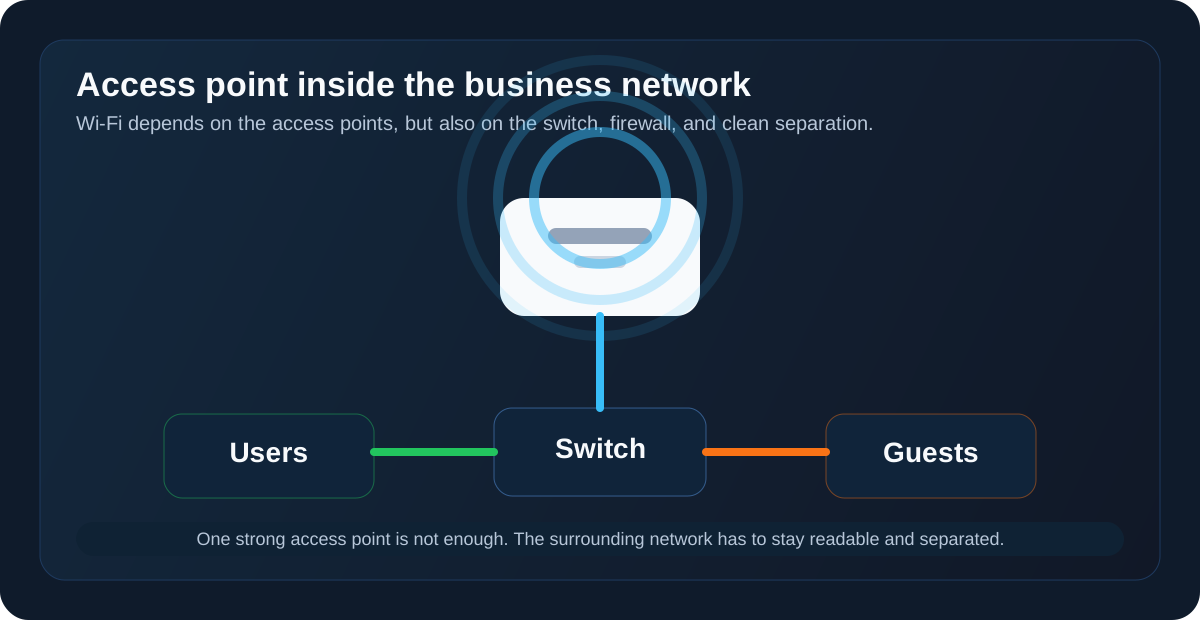
In short
- An ISP router rarely remains enough once Wi-Fi supports a real share of daily activity.
- The guest network must be isolated from the internal network.
- Employee Wi-Fi, guest access, and technical usage often need separate VLANs.
- Too many SSIDs, poor access point placement, and no monitoring quickly damage user experience.
- The real topic is not only signal strength. It is stability, security, and operational clarity.

What users are really looking for
When a business owner, IT manager, or office manager searches about business Wi-Fi, they are rarely looking for a lesson about radio standards. They are looking for an answer to a concrete problem.
Why office Wi-Fi is slow or unstable
The real request often sounds like this: why does it drop when the office is full, why does the meeting room perform badly, why do calls fall apart, and why are some areas frustrating every day.
Whether professional access points are necessary
The question behind the search is simple: is the router still enough, or is it time to move to a real Wi-Fi architecture.
How to build a proper guest network
Many companies want to offer Internet access to visitors, contractors, or personal devices without exposing the rest of the network. That is a very concrete search intent, and often a very good starting point for putting things back in order.
Whether VLANs are needed for Wi-Fi
The real question is not technical for the sake of it. It is about preventing guest access, unmanaged devices, voice traffic, IoT, or administration from ending up in the same logical space.
How to secure company Wi-Fi
The user wants to know what to do first. Not in six months. Not after an 80-page audit. They want something actionable.
What solid business Wi-Fi looks like
Good SMB Wi-Fi usually stays fairly simple. It mostly depends on a few clean decisions.
Access points sized for real density
A business access point does not only add signal. It adds better client handling, radio load management, roaming, channel control, and administration. In an open office, meeting room, or workshop, that difference becomes visible very quickly.
Few SSIDs, but useful ones
Multiplying SSIDs makes the environment harder to read and adds unnecessary overhead. In many SMBs, three Wi-Fi networks are more than enough.
- one SSID for employees
- one SSID for guests
- one dedicated SSID only when a technical use case really requires it
When everyone creates their own SSID to solve one local issue, Wi-Fi becomes harder to secure, harder to read, and harder to troubleshoot.
A guest network that is truly separate
The guest network should provide Internet access. It has no business reaching the internal LAN, servers, business printers, or administration interfaces. This is a basic point, on the same level as a clean firewall rule set.
Separate administration
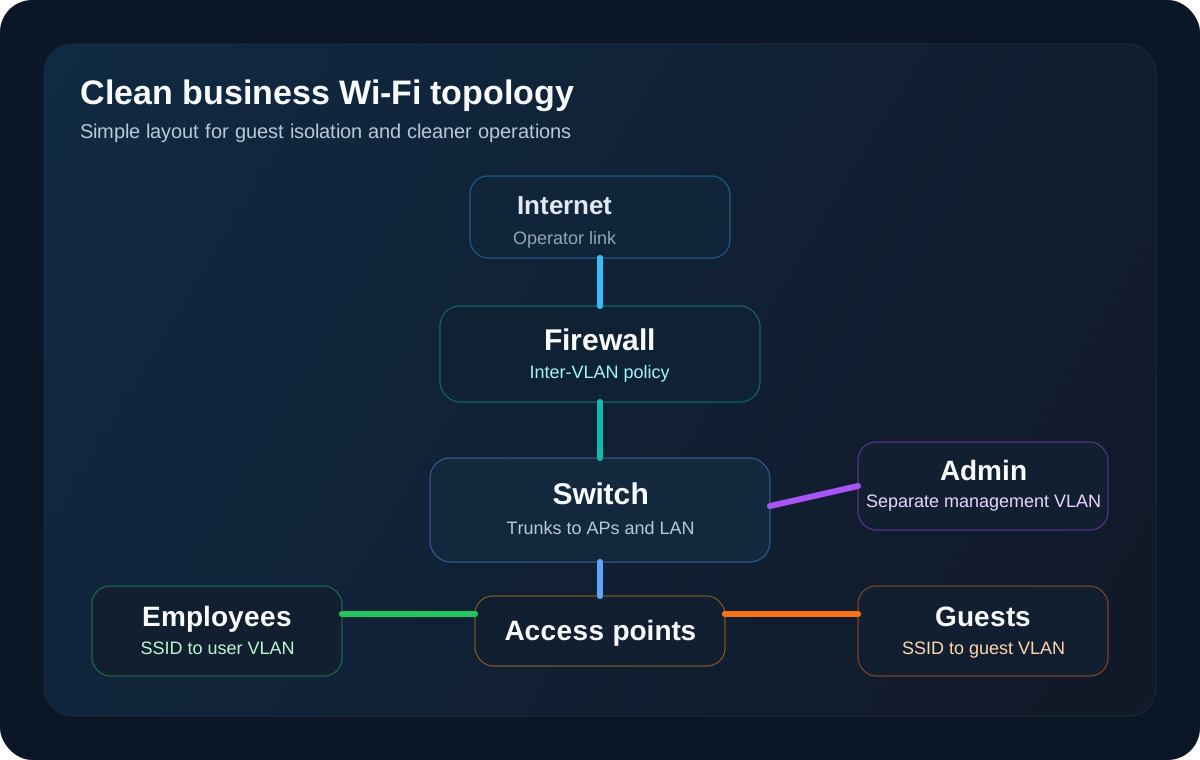
Access points, switches, the firewall, and Wi-Fi controllers should not be manageable from any random user workstation. When management interfaces live in the same logical space as everything else, risk rises quickly.
Do SMBs need VLANs for Wi-Fi
In many SMBs, yes. As soon as multiple use cases need to coexist, logical separation becomes useful.
The VLAN is not there to make the network diagram look more impressive. It is there to keep a visitor, an unmanaged device, or a secondary use case away from the core of the information system. The most common design looks like this.
- employee SSID to a user VLAN
- guest SSID to a visitor VLAN
- admin or technical SSID to a dedicated VLAN
- inter-VLAN filtering through the firewall based on actual needs
That logic directly connects to the article about enterprise VLANs. In practice, Wi-Fi and segmentation go together. An SSID without real network isolation creates the impression of separation more than actual separation.
Guest Wi-Fi for business: the minimum clean setup
The guest network is one of the most searched topics because it answers a very real operational pain. Visitors need to connect, but nobody wants to expose more than necessary.
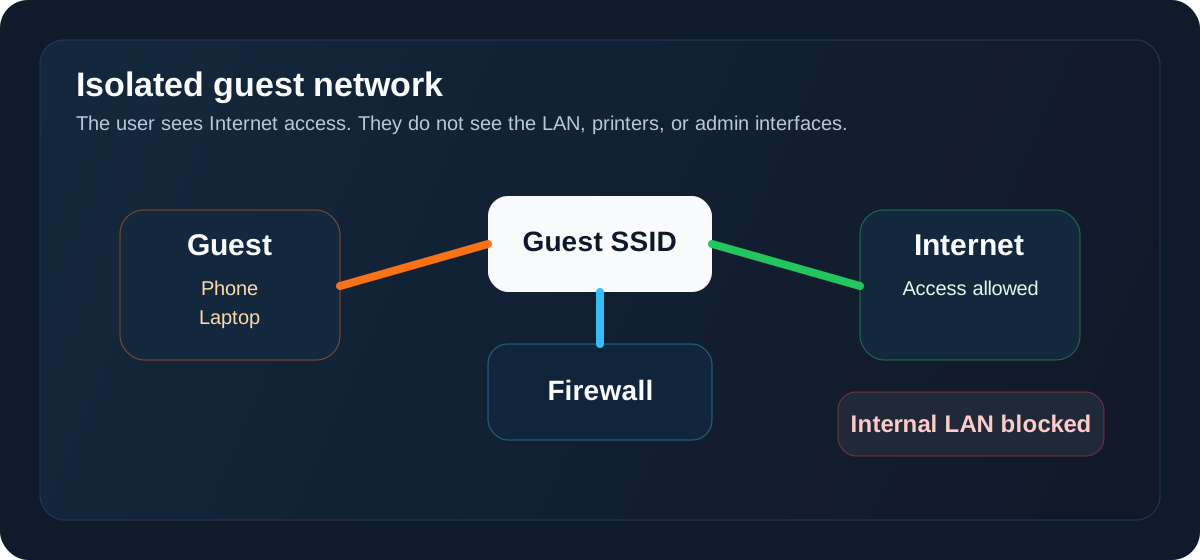
The minimum clean setup is short.
- Internet access allowed
- internal network access blocked
- management interface access blocked
- password or captive portal handled cleanly
- minimum monitoring if usage is regular
On this point, the article about minimum firewall rules for SMBs is a natural extension. A proper guest network depends as much on the access point as it does on segmentation and filtering.
When professional access points become necessary
An ISP router can hold in a very small and simple environment. It reaches its limits quickly once usage becomes more demanding.
The signs that justify professional access points are usually these.
- several dozen simultaneous clients
- Teams, Zoom, or voice over Wi-Fi
- multiple rooms, multiple zones, or multiple floors
- a need for proper roaming
- regular use of a guest network
- a need for centralized administration
- recurring issues with no visibility
The right reasoning is not to ask whether a business AP is more powerful. The right reasoning is to ask whether Wi-Fi is part of day-to-day production and whether it needs to be managed that way.
The most common mistakes
Focusing on coverage before capacity
A site can show strong signal everywhere and still be poor in real use. The problem then comes from density, channels, load, placement, or upstream saturation.
Adding more access points without radio logic
Adding one access point for every complaint often creates more noise than quality. Without a proper reading of the surface, materials, and overlap, you stack equipment without really fixing the issue.
Keeping guests too close to the internal network
Giving the main Wi-Fi to visitors remains a classic mistake. Creating a guest network without real isolation almost leads to the same result.
Stacking SSIDs
One SSID per team, one per floor, one temporary SSID for one local need. That kind of drift always makes operations harder.
Keeping one shared password for years
An internal Wi-Fi password spread everywhere, never rotated, sometimes known by former providers or former staff, eventually becomes a very ordinary but very real weak point.
Business Wi-Fi security: what to do first
For an SMB, the most profitable order often looks like this.
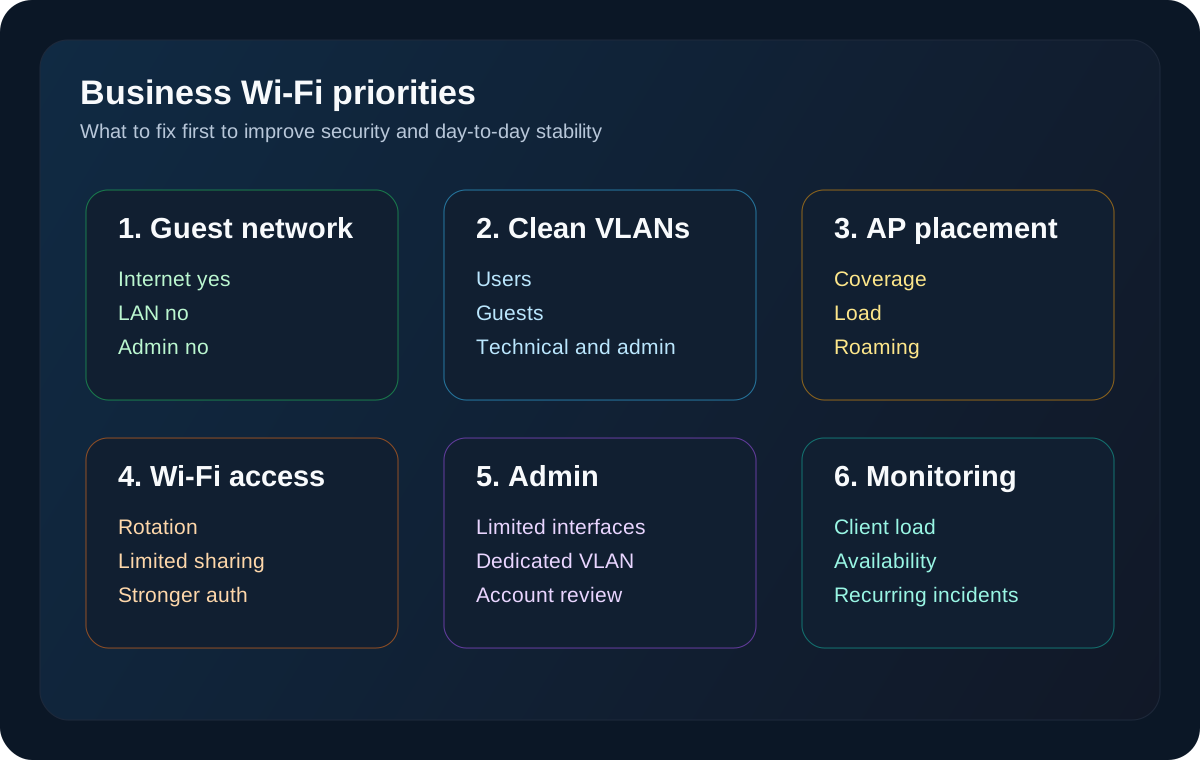
- isolate the guest network
- separate use cases with coherent VLANs
- protect administration access
- review secrets and authentication methods for internal Wi-Fi
- monitor key access points and recurring incidents
- move toward 802.1X when the security level justifies it
This follows a simple idea. First fix what reduces risk quickly and improves network stability, not what looks best on a product sheet.
What an SMB can implement without unnecessary complexity
A healthy baseline often fits in a very readable design.
- a few properly placed professional access points
- one employee SSID
- one guest SSID
- clean SSID to VLAN mapping
- inter-VLAN filtering through the firewall
- limited administration access
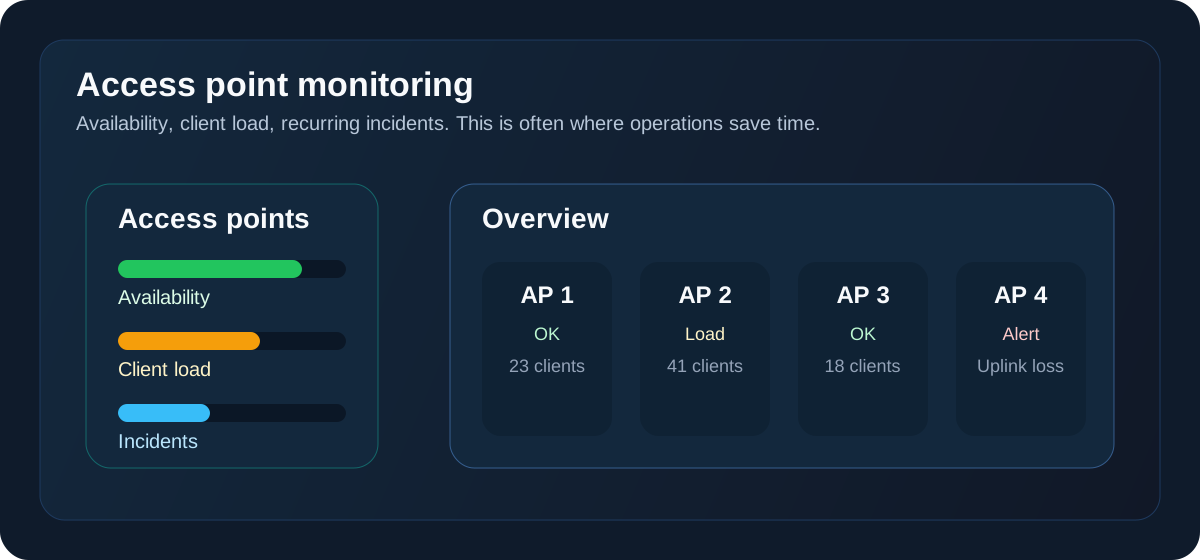
- simple monitoring for critical access points
There is nothing exotic about that architecture. That is exactly why it works. It stays understandable, maintainable, and robust enough for a large share of SMBs.
Common questions about business Wi-Fi
How many access points does an SMB need
There is no serious answer without looking at floor area, materials, user density, and usage. Two offices of the same size can have very different requirements.
Is a router enough for business Wi-Fi
Sometimes in a very small company with low density and low requirements. Much less once Wi-Fi carries video calls, mobility, visitors, or several work zones.
Should guest Wi-Fi be separated from internal Wi-Fi
Yes. It is one of the first things to fix when it is not already the case.
Does every SSID need its own VLAN
Not by principle. But as soon as a use case needs isolation, the VLAN often becomes the clean and durable answer.
How do you know whether the problem comes from Wi-Fi or the wider network
You have to look at the whole chain: radio, placement, density, switch uplink, DHCP, routing, firewall, Internet saturation, and monitoring. Many issues seen as Wi-Fi issues are actually wider network issues.
What this changes in practical terms
A well-designed business Wi-Fi setup improves user experience, but more importantly it improves the overall stability of the information system. Visitors are better isolated, incidents are easier to read, access is cleaner, and operations depend less on improvised fixes.
For a very small business, that prevents a meeting room or visitor access from disrupting the whole day. For an SMB, it creates a stronger base for mobility, security, and network monitoring.
The most useful approach is to treat Wi-Fi as one link in the enterprise network chain, alongside segmentation, filtering, and administration. When the current setup is blurry, a diagnostic or a quick review of flows, access points, and usage often brings a lot of order back in a short time.
Sources
- https://cyber.gouv.fr/guide-dhygiene-informatique
- https://www.cisecurity.org/controls/v8
- https://www.cisco.com/c/en/us/support/docs/lan-switching/8021q/17056-741-4.html
- https://www.ssi.gouv.fr/guide/recommandations-pour-la-definition-dune-politique-de-filtrage-reseau-pare-feu/
- https://www.wi-fi.org/discover-wi-fi
Support available on this topic
Initial Infrastructures handles these topics for SMBs and mid-size companies. A short call is enough to identify priorities and the right scope of intervention.